Most people asking “what’s the best AI automation tool” are asking the wrong question, and it’s costing them months.
There isn’t one tool. There are four jobs, and a different tool is good at each. Once you see the jobs, the tool choices become obvious and more importantly, you stop trying to force one platform to do something it was never built for.
The four jobs:
- Get the data — scraping and collection
- Move and decide — orchestration
- Remember — a database
- Reason about it — the AI model
Almost every automation business running today is some version of those four layers wired together. The specific tools vary. The shape doesn’t.
Here’s what each layer does, what the popular pick costs in 2026, and the part most articles skip where each one’s billing model quietly eats your margin.
📌The cost figures below come from vendor pricing pages and independent pricing breakdowns checked in August 2026, with dates noted where sources disagreed. All four tools change pricing regularly, and two of them changed their billing model in the last two years. Treat the numbers as a planning framework and verify before you commit budget.
Why four layers and not one platform
The obvious objection: why not just use Make, or Zapier, or one of the all-in-one agent platforms?
You can, and for simple work you probably should. The layered stack earns its complexity in three situations:
Your data isn’t in an API. If the information you need lives on web pages, no orchestration tool will get it for you cleanly. You need a scraper.
You need to remember things between runs. Orchestration tools are stateless by design each run starts fresh. The moment you need “have I already contacted this lead?” you need a database.
Your costs scale badly. Per-task billing is fine at low volume and brutal at high volume, which is what pushes people toward self-hosted orchestration.
If none of those apply, a single platform is genuinely the better answer, and anyone telling you otherwise is selling complexity.
Layer 1 — Scraping: Apify
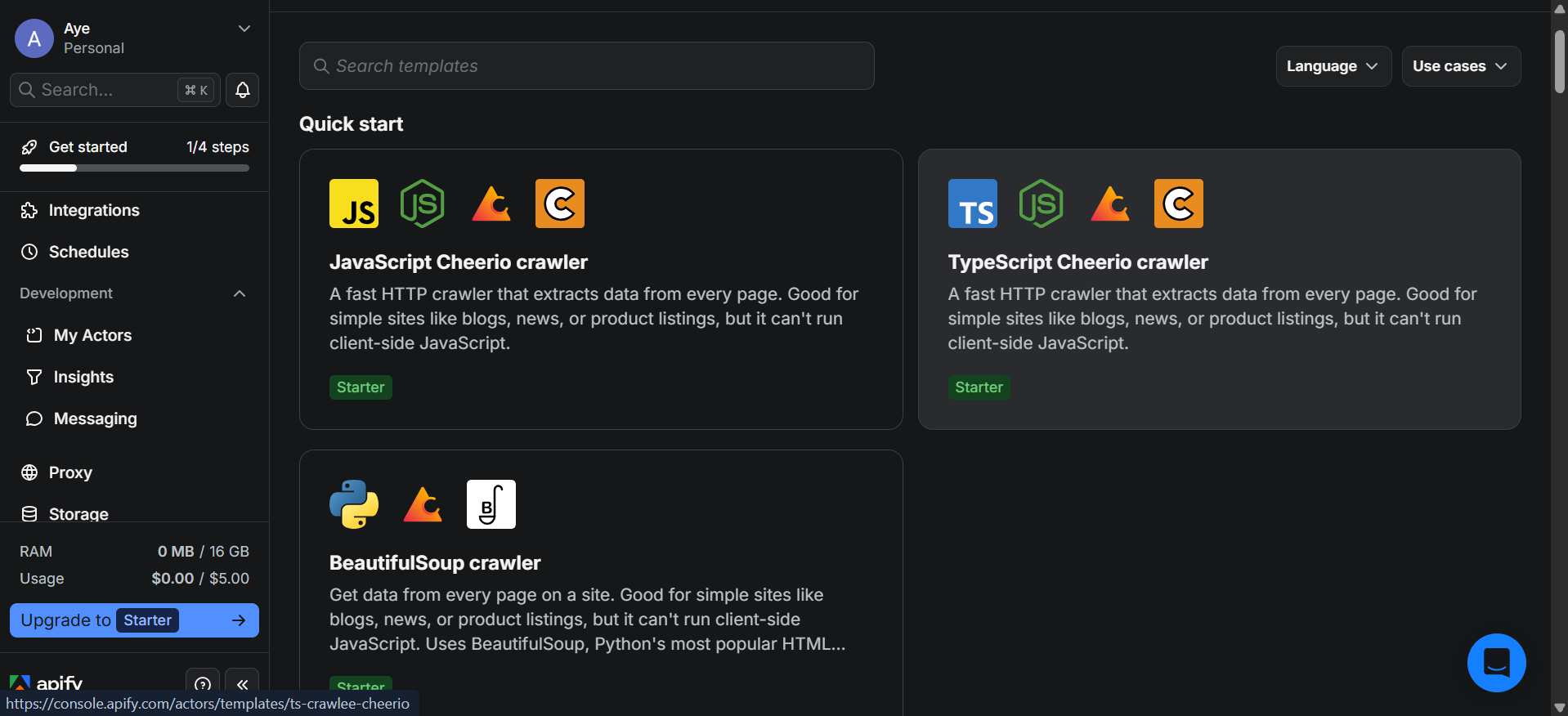
The job: get structured data out of places that don’t hand it to you.
Apify’s model is a marketplace of prebuilt scrapers called Actors reported at 25,000+ covering common targets like Google Maps, Amazon, LinkedIn, Instagram and Reddit. You mostly rent someone else’s scraper instead of writing one.
That’s the appeal. Writing your own scraper means owning proxy infrastructure, breakage every time a site changes its markup, and the maintenance forever after.
The billing trap that catches everyone
This is the single most useful thing to know about Apify, and it’s why budgets blow up.
Your bill has two layers.
Layer one is compute. Apify bills in Compute Units. One CU is roughly 1 GB of RAM running for one hour. Rates reported around $0.20/CU on lower tiers, dropping on higher plans. Memory-hungry headless-browser jobs burn far more CU than lightweight requests so two jobs returning the same number of rows can cost wildly different amounts.
Layer two is per-result fees, and this is the one people miss. Many Store Actors charge pay-per-result or pay-per-event on top of compute. A Maps scraper at a few dollars per thousand results can consume your entire monthly budget while the compute usage chart still looks calm.
There’s a further wrinkle: those headline “from $2 / 1,000 results” prices are the best-tier rate. Free-plan users sit in the lowest discount tier and reportedly pay noticeably more per result than the advertised figure.
Before running any Actor at volume, open its Pricing tab. Not the plan page the individual Actor’s page. That’s where the real cost lives.
Rough pricing, August 2026
- Free — $0, about $5/month in platform credit, 25 concurrent runs, no Store discount. Runs stop when credit is exhausted rather than billing you an overage, which is a genuinely sensible design.
- Starter — reported around $29–39/month with matching credit
- Scale — around $199/month
- Business — around $999/month, including roughly $1,300 in credit
- Proxies bill separately — residential proxy reported around $8/GB on the free tier
- Credits don’t roll over. Unused budget expires monthly.
Sources disagreed on the exact Starter figure, which tells you how often this moves.
Before you scrape anything
A section most stack articles skip, and shouldn’t.
Scraping sits in genuinely contested legal territory that varies by jurisdiction, by site, and by what data you’re collecting. Site terms of service, personal-data regulations like GDPR, and rate-limiting all apply to you whether or not your tooling makes it easy.
Practical baseline: check the target’s terms and robots.txt, avoid collecting personal data you don’t have a lawful basis for, don’t hammer sites at volumes that degrade them, and get proper advice before building a business on scraping a specific platform. “The Actor existed in the store” is not a legal position.
Layer 2 — Orchestration: n8n
The job: connect everything, run on triggers or schedules, handle the logic.
This is the layer that turns a pile of tools into a system. Something happens, n8n notices, calls the scraper, passes the result to a model, writes it to the database, sends the notification.
The reason n8n dominates this layer in agency contexts is the billing model. One workflow run counts as one execution regardless of how many nodes it contains. Per-task platforms charge you for every step, so a 15-step automation costs 15 units there and one here. For the long, branching workflows agency work produces, the gap is large.
Self-hosted, executions are unlimited you’re bounded by your server, not a counter.
Cost is roughly: free self-hosted on a $5–7/month VPS, or cloud from around $20–24/month for a few thousand executions.
Two things to know going in: the free self-hosted edition has no workflow or credential sharing, which becomes a wall the moment a second person needs access. And n8n’s license permits building workflows for clients but not hosting n8n as a service and selling access to it.
🔗Read our breakdown: What the n8n Free Plan Actually Includes in 2026.[https://aiflohub.com/is-n8n-really-free-what-the-free-plan-actually-includes-in-2026/]
Layer 3 — Memory: Supabase
The job: remember things between runs.
Orchestration is stateless. Every workflow run starts with no knowledge of the last one. That’s fine until you need any of:
- Have I already emailed this lead?
- What was this company’s score last week?
- Which records changed since the last sync?
- What did the client’s dashboard show yesterday?
All of that needs a database, and Supabase is the common pick because it’s PostgreSQL a real, boring, well-understood relational database with an API, auth and storage bundled on top.
The API part matters more than it sounds. It means n8n can read and write to it over HTTP without you managing a database connection.
The free tier limit that decides everything
Free projects pause after 7 days of inactivity and need manual reactivation from the dashboard.
For prototyping, irrelevant. For anything a client might touch on day eight, disqualifying. This single behaviour is the reason agency work moves to Pro faster than the storage limits would suggest.
Free tier, as of mid-2026: 2 active projects, 500 MB database, 1 GB file storage, 5 GB egress, 50,000 monthly active users, no backups, no SLA.
Pro: around $25/month per organization, which removes the pausing, adds daily backups, and raises limits substantially. It includes roughly $10 in compute credit covering a small instance, so many projects sit at almost exactly $25.
One thing worth knowing: Supabase Pro doesn’t scale compute to zero. You pay for your selected instance around the clock, so instance sizing matters more than it would on a serverless provider.
Team jumps to around $599/month — that’s a compliance tier, not a growth tier.
Layer 4 — Reasoning: Claude and OpenAI
The job: the parts that need judgment rather than rules.
Classifying messages. Summarizing documents. Extracting structured fields from messy text. Drafting replies. Deciding which bucket something belongs in. Anything where writing the rules explicitly would take a thousand if-statements and still be wrong.
Both Anthropic and OpenAI offer tiered model families a small fast cheap tier, a mid balanced tier, and a large most-capable tier. Model prices and names change often enough that quoting per-token figures in a blog post is a liability, so check Anthropic’s pricing and OpenAI’s pricing directly.
What matters more than the current numbers is how you control the spend.
Four habits that cut model costs
Route by difficulty. Most tasks in a real pipeline are easy classify, extract, tag. Send those to the cheapest model. Reserve the expensive model for the genuinely hard step. Running everything through your best model is the most common way to overspend by an order of magnitude.
Don’t send the whole document. Trim to the relevant section before the API call. Input tokens are tokens.
Cache what repeats. If your prompt has a large fixed portion instructions, examples, a reference doc both providers support prompt caching that substantially reduces the cost of the repeated part. For high-volume pipelines this is one of the biggest available savings.
Batch what isn’t urgent. Both providers offer batch processing at a discount for work that doesn’t need an immediate answer. Overnight enrichment jobs are the obvious candidate.
Ask for structured output. Getting JSON back rather than prose means your workflow can act on it without a second parsing step and a second API call.
What the whole stack actually costs
A realistic starting configuration, with the caveat that model spend depends entirely on volume:
| Layer | Tool | Starting monthly cost |
|---|---|---|
| Scraping | Apify Free → Starter | $0 → ~$29 |
| Orchestration | n8n self-hosted | ~$5 VPS |
| Database | Supabase Free → Pro | $0 → $25 |
| AI models | Claude / OpenAI API | Usage-based |
| Base infrastructure | roughly $30–60/month |
The honest version: infrastructure is cheap and predictable. Your two variable costs are scraping volume and model tokens, and both can multiply without warning if a workflow misbehaves.
Which is why the next section exists.
A sane build order
Building all four layers at once is how projects stall. Better sequence:
Step 1 — Build the workflow manually first. Do the task by hand once and write down every step. If you can’t describe it precisely, you can’t automate it, and you’ll discover that faster on paper than in a workflow editor.
Step 2 — Start with orchestration alone. Get n8n running and build the workflow using manual inputs or a spreadsheet. No scraper, no database, no model. Prove the logic works.
Step 3 — Add the database. Once you know what data you’re moving, you know what tables you need. Designing the schema before you understand the workflow means rebuilding it.
Step 4 — Add the AI layer, with the cheapest model. Try the small model first. It handles more than people expect. Upgrade only where output quality actually fails.
Step 5 — Add scraping last. It’s the most fragile layer and the one with the least predictable cost. Add it once everything downstream works.
Step 6 — Put limits on everything before it runs unattended. Execution caps, spending alerts, a maximum on how many items a workflow processes per run. Do this before the first scheduled run, not after the first surprise bill.
Step 7 — Log what happens. Write a row to your database for every run: what came in, what went out, what it cost. When something breaks at 3am and it will this is the difference between a five-minute fix and a lost day.
Mistakes that cost real money
Scheduling too aggressively. A workflow triggering every five minutes generates roughly 8,640 runs a month by itself. Most tasks that feel like they need five-minute polling need hourly, and some need daily. Multiply your interval out before you save the schedule.
Ignoring per-result Actor fees. Repeating it because it’s the most expensive mistake on this list. Compute usage looking fine tells you nothing about your actual Apify bill.
Shipping on a free Supabase project. Seven days of inactivity and it pauses. Anything client-facing goes on Pro.
Using the biggest model for everything. Classification does not need your most capable model. Route by difficulty.
No spending caps. Every layer here can run away a retry loop hitting an API thousands of times, a scraper following pagination further than expected. Caps and alerts on all four.
Building the database schema first. You don’t know what you need until the workflow exists.
No error handling. External APIs fail, sites change markup, rate limits trigger. A workflow with no failure path fails silently, which is worse than failing loudly.
Treating “the tool made it easy” as permission. Applies to scraping legality and to handling client data. Ease of implementation is not a compliance argument.
What this actually adds up to
The stack isn’t complicated once you see it as four jobs instead of a tool list. Something gets the data, something moves it, something remembers it, something thinks about it.
The tools in this post are the common 2026 picks, but the layers matter more than the brands swap Apify for Firecrawl, Supabase for Neon, n8n for Windmill, and the architecture is unchanged. Learning the shape transfers. Learning one vendor’s UI doesn’t.
If you’re starting from nothing, the useful first move isn’t picking tools. It’s finding one repetitive task, doing it manually, and writing down the steps. That document tells you which of the four layers you actually need and often the answer is two, not four.
The people who get stuck are usually the ones who assembled a full stack before they had a problem for it to solve.
🔗Check out how to build your first ai automated workflow [https://aiflohub.com/how-to-build-automated-workflows-using-cutting-edge-ai-technology-in-2026/]
FAQ
What is an AI automation agency tech stack?
The set of tools used to build client automations, typically in four layers: a scraper for collecting data, an orchestration tool for connecting services and running logic, a database for storing state between runs, and an AI model API for tasks requiring judgment.
What does it cost to start?
Base infrastructure lands roughly $30–60/month — a small VPS for self-hosted n8n, an entry Apify plan, and Supabase Pro. Model API usage is separate and scales with volume.
Do I need all four layers?
Often not. If your data already comes from APIs and your workflows don’t need memory between runs, orchestration plus a model API covers a lot of real work. Add layers when a specific limitation forces you to.
Why n8n instead of Zapier or Make?
Execution-based billing. One workflow run counts once regardless of step count, which is much cheaper for long multi-step workflows. Self-hosting also removes execution limits entirely.
Is Apify’s free plan enough to start?
For testing and light one-off jobs, yes about $5 of monthly credit, and runs simply stop rather than generating an overage bill. It’s not sized for production, and free-tier users get no Actor Store discount, so per-result fees are higher.
Is web scraping legal?
It depends on jurisdiction, the specific site’s terms, and what data is being collected particularly personal data. It isn’t a settled yes or no, and a tool making it easy doesn’t make it permitted. Get proper advice before building a business on scraping a particular platform.
Leave a Reply