Most faceless channels don’t lose money to the AI policy. They lose it to yellow icons, reused content flags and music claims. Here’s what actually costs you.
The most useful thing I learned researching faceless monetization is that most people are watching the wrong door.
Every thread is about the AI policy. Every video is about the January terminations. Meanwhile the channels I read about quietly losing money week to week weren’t losing it to any of that. They were losing it to yellow dollar signs on half their library, to music claims on stock tracks they thought were free, and to a reused-content flag they never saw coming because they assumed that policy only applied to compilation channels.
None of those make good thumbnails. All of them take real money off the table.
So this one deliberately skips the AI policy — I’ve covered that in depth elsewhere. This is everything else, and for most faceless creators “everything else” is where the actual losses are.
🔗[https://aiflohub.com/youtubes-inauthentic-content-policy-explained-for-faceless-creators/]“If the AI policy is what brought you here, I covered that separately“
Demonetization isn’t one thing, and that’s why people misdiagnose it
Four different systems can cost you revenue, and they behave completely differently:
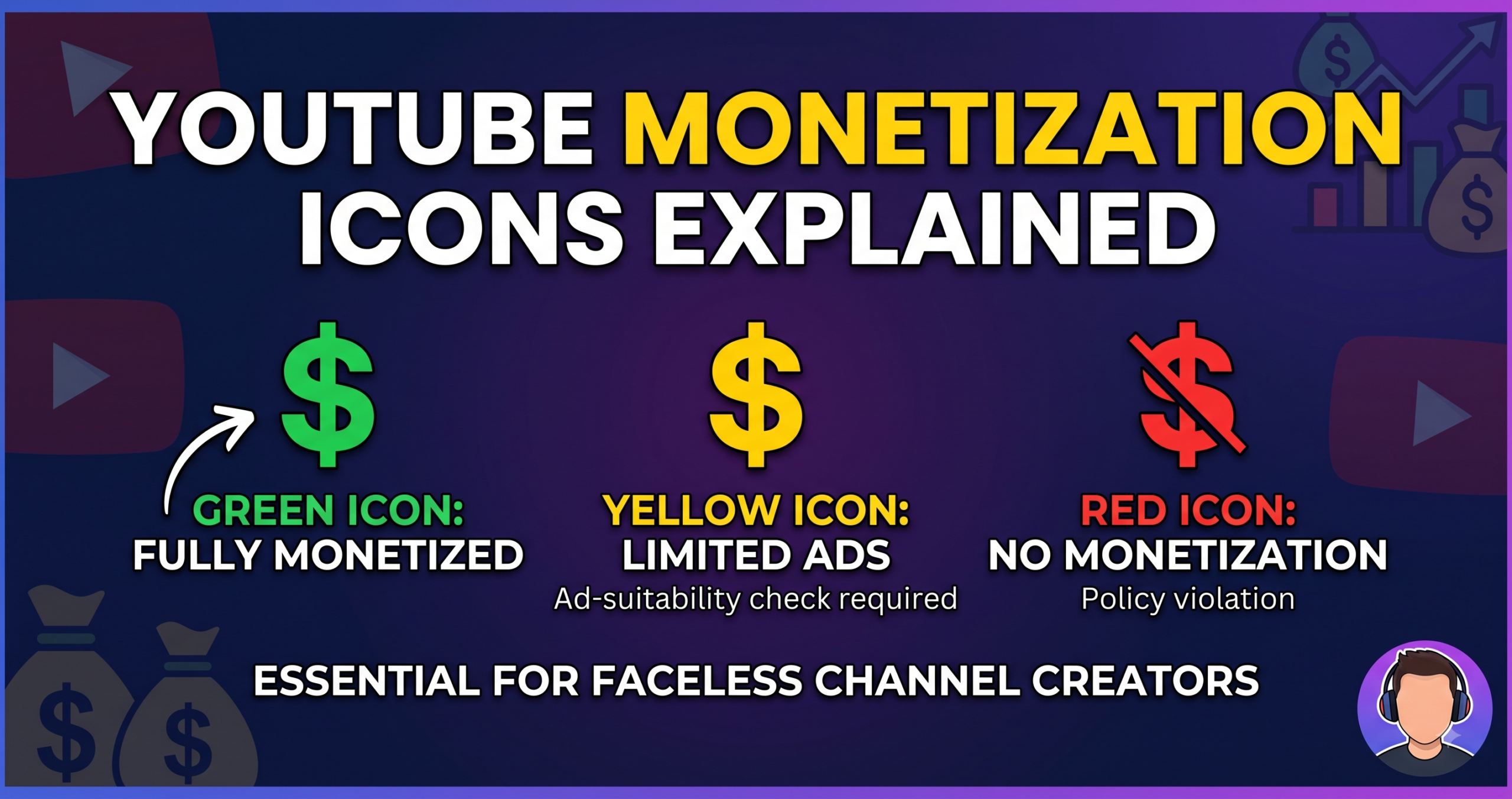
Yellow icon (limited ads). Your video is up, monetized, and running ads from a much smaller pool of advertisers. Per-video. Reversible.
Reused content. A channel-level judgment that your uploads don’t add enough original value to source material. Blocks entry to the Partner Program or removes you from it.
Copyright claims. Someone else’s music or footage is in your video and the revenue is redirected to them. Per-video, usually instant, often fixable in minutes.
Inauthentic content. The mass-production policy everyone panics about. Channel-level.
The one that costs most faceless creators the most money over a year is the first one, and it’s the one nobody writes about. Let’s start there.
Yellow icons: the slow leak
A yellow icon means your content runs limited or no ads. The video isn’t in trouble. It just earns considerably less, because only advertisers who opt into sensitive categories will bid on it, so both your CPM and your fill rate drop.
One yellow video is nothing. A pattern of them across your library is a serious revenue problem that most creators never diagnose, because each individual video still shows some earnings.
What triggers it on faceless content specifically:
YouTube’s guidelines apply to every part of your upload — video, thumbnail, title, description and tags. That last part catches faceless creators constantly, because our niches are built on words that read as sensitive to an automated classifier.
True crime is the obvious one. But so is anything covering war, death, tragedy, political conflict, or extremism — those categories draw yellow icons routinely. Health and finance content trips it when it strays toward dramatic claims.
The subtler triggers:
Profanity, especially early. Strong language in the first 30 seconds, in the title, or in the thumbnail is one of the most common triggers. Occasional mild profanity later in a video is generally handled more leniently.
Your titles and thumbnails, independent of the video. “SHOCKING,” “BANNED,” “LEAKED,” “EXTREME,” “WARNING” — clickbait vocabulary is also risk vocabulary. Words like “documentary,” “review,” “analysis,” “tutorial,” “explained” and “commentary” read very differently to the same system.
Sensitive topics with no framing. The same subject can pass or fail depending on whether the video makes its educational or documentary intent obvious. Covering something difficult is allowed; covering it as spectacle isn’t.
How to actually fix it:
Use self-certification. In YouTube Studio, eligible channels answer a questionnaire rating their own content against the advertiser guidelines at upload. Used honestly and consistently, it speeds up classification and helps on borderline content. Used dishonestly, your accuracy score suffers and it works against you — this is not a system to game.
Appeal individual yellow icons. There’s an appeal option in the monetization panel, and human review does overturn automated decisions. YouTube says openly that its systems don’t always get it right.
Read the stated reason before appealing. The panel names the category — inappropriate language, controversial subject, harmful acts. That tells you whether to appeal or edit. Appealing without reading it is how people waste their time.
Rewrite metadata before you re-edit video. Titles, descriptions and tags are ten minutes of work. If your framing is the problem, that’s the cheapest possible fix.
Reused content: the one that surprises faceless creators
This is a separate policy from the AI rules, and it hasn’t changed. It governs whether your uploads add original value to material that already existed.
Here’s the part that catches honest faceless creators: it applies to stock footage.
Stock clips are fine — they’re the backbone of the format. The test is whether someone else’s material is the main event. If the valuable content in your video is the stock footage, with narration sitting on top as decoration, that’s the risk zone. If your commentary, script, structure or analysis is the point and the footage supports it, you’re on the right side.
There’s no published percentage. No “51% original” threshold, whatever a forum thread told you. The judgment is about what the video is for.
Common ways faceless channels fail this without realising:
- Reading news articles or Reddit posts aloud verbatim with stock visuals over them
- Compilations with narration that just describes what’s on screen
- Slideshows of images with no narrative structure connecting them
- Re-uploading trending clips with a voice-over on top
The fix is the same in every case: the video has to say something the source material didn’t. A take, an explanation, a comparison, context, a correction. If you removed the stock footage and replaced it with different footage, would the video still have a point? If yes, you’re fine.
If you’re already flagged: review your library and identify uploads that lean almost entirely on stock or reused clips, improve them with genuine commentary or analysis where possible, and unlist or remove the ones that can’t be saved. Then let the channel show a different shape before you go back for review.
🔗“The appeal process and its deadlines are covered in detail in [https://aiflohub.com/youtubes-inauthentic-content-policy-explained-for-faceless-creators/].”
Music claims: the fastest money leak, and the easiest to prevent
This is the one I’d fix first if I were starting today, because it’s pure carelessness and it’s completely avoidable.
Background music from a “royalty free” YouTube compilation is not licensed for you. Those uploads are frequently reposts, and Content ID doesn’t care what the video description promised. When a claim lands, the revenue on that video goes to the claimant. All of it.
You often won’t notice for weeks, because the video keeps running ads — they’re just not your ads any more.
Where to actually get music:
YouTube Audio Library — free, built into Studio, cleared for use on YouTube. Overused, but it will never cost you a claim.
Epidemic Sound, Artlist, Uppbeat — subscription libraries with proper licensing. Uppbeat has a usable free tier. Worth the money once you’re publishing regularly.
Whatever you choose, keep the licence receipt. Screenshot it or file the confirmation email per project. Disputing a false claim without proof of licence is painful; with proof it’s routine.
Check the Copyright tab in YouTube Studio monthly. Claims appear there. Ten minutes a month catches things you’d otherwise never see.
The pre-upload check that prevents most of this
Runs about five minutes once it’s habit.
1. Read your title and thumbnail as a stranger. Does the wording sound like a documentary or like a tabloid? You can keep the curiosity and lose the risk vocabulary — “What Actually Happened To…” does the same job as “SHOCKING TRUTH ABOUT…” without the flag.
2. Check your first 30 seconds specifically. Language, imagery, dramatic claims. The opening carries disproportionate weight in automated classification.
3. Confirm every asset is licensed and logged. Music, footage, images. Note the source. This takes seconds now and saves hours later.
4. Ask what your video adds. One sentence: what does this say that the source material didn’t? If you can’t write it, that’s your reused-content risk showing before anyone reviews you.
5. Complete self-certification honestly. Answer the questionnaire accurately. Consistency builds the track record; inaccuracy damages it.
6. Use the AI disclosure toggle if your visuals are realistic synthetic content. Free, and YouTube says it doesn’t affect ranking.
7. Check the monetization icon after processing, before you promote. If it’s yellow, you can fix the metadata and republish before the video gets its main push. After it’s had its traffic, the fix is worth much less.
Mistakes that quietly cost people money
Never checking the icons. People assume monetized means fully monetized. Scan your video list in Studio — yellow icons are visible at a glance and most creators have never looked.
Grabbing music from YouTube compilations. Covered above, but it’s the single most common avoidable loss in this format.
Chasing the most dramatic title every time. The clickbait that wins the click can be the phrasing that limits the ads. Sometimes worth it. Should be a decision, not an accident.
Certifying dishonestly to dodge yellow icons. It backfires. Accuracy is tracked and it affects how your future uploads are treated.
Assuming stock footage is automatically safe. Legal to use and sufficient for original value are two different questions.
Ignoring the Copyright tab. Claims sit there for months collecting revenue that should be yours.
Fixing videos one at a time instead of finding the pattern. If six videos are yellow for the same reason, the fix belongs in your process, not in six separate edits.
What this adds up to
Almost none of what costs faceless channels money is dramatic. It’s a title written in tabloid voice, a music track from a compilation nobody checked, a video where the stock footage ended up doing the work the script should have done.
The AI policy gets the attention because it makes for a better headline. The yellow icons quietly take a cut of everything, every month, and most people never open the tab that would show them.
Spend twenty minutes going through your library and looking at the icons. If you find a pattern, you’ve probably just found more money than any amount of policy reading would have given you.
FAQ
What does a yellow icon mean on YouTube?
Limited or no ads. The video still runs, but only advertisers who opt into sensitive content categories will bid on it, so both CPM and fill rate drop. It’s per-video, appealable, and often fixable by rewriting the title, description or tags.
Can I use stock footage on a monetized faceless channel?
Yes, provided it isn’t the main value of the video. The reused content policy asks whether your commentary, script and structure transform the material. Stock as support is fine; stock as the whole point is the risk.
Why did my video get a copyright claim on royalty-free music?
Because “royalty free” on a YouTube compilation usually isn’t a licence you hold. Use the YouTube Audio Library or a proper licensing service, and keep the receipt so you can dispute false claims.
Does self-certification help or hurt?
It helps when used honestly — it speeds up classification and improves outcomes on borderline content. Inaccurate self-certification damages your accuracy score and works against you on future uploads.
Can I appeal a yellow icon?
Yes. There’s an appeal option in the monetization panel, and human review overturns automated decisions regularly. Read the stated reason first — it tells you whether appealing or editing is the right move.
Leave a Reply